Understanding File Formats: The Unsung Heroes of Digital Workflow
In the vast digital landscape where we create, share, and manage content, file formats are the fundamental containers that hold our work. They are not just technical suffixes at the end of a filename; they are critical decisions that determine compatibility, quality, editability, and the long-term viability of your digital assets. Understanding file formats is a cornerstone of efficient workflow, whether you're designing a website, preparing a presentation, or building a mobile app.
The Role of File Formats in a Cohesive Process
File formats function as the universal language between software, platforms, and collaborators. Choosing the correct format is an early, yet often overlooked, step in any project plan. It sits at the intersection of preparation and execution. Before you even begin creating a graphic or drafting a document, considering the end-use dictates the format you should work in. A logo intended for high-quality print requires a different format than one meant for a responsive website icon. This decision interacts directly with your tools: advanced editing software like Adobe Illustrator works natively with .AI files, while universal web graphics often rely on .PNG or .SVG.
Misalignment here can cause significant disruption later in the process. Imagine finalizing a complex infographic only to discover the chosen format cannot be imported into your presentation software, forcing a time-consuming conversion that may degrade quality. Therefore, integrating format awareness into your initial planning phase prevents bottlenecks and ensures a smoother transition from creation to implementation.
Practical Integration Across Common Use Cases
The practical application of file format knowledge manifests in everyday tasks for professionals and creators. Let's explore how this fits into real workflows.
For User Interface and Web Design
When designing a website or mobile app interface, icons and graphical elements are ubiquitous. Here, format choice is paramount for both performance and aesthetics. The scalable .SVG (Scalable Vector Graphics) format, for instance, is integral to modern web design. It allows an icon to render crisply at any size without losing quality, from a tiny mobile button to a large desktop display. This interacts beautifully with responsive design frameworks. Using a .JPG for the same purpose could result in blurry pixelation on high-resolution screens. Incorporating a set of consistent, format-correct icons—like a dedicated line icon set for file types—enhances both usability and visual consistency across your digital product.
In Presentation and Infographic Development
Building a compelling presentation or infographic often involves assembling assets from various sources. Consistency in the visual language is key to professional quality control. Utilizing a uniform set of icons, such as file format indicators to denote download types or data sources, aids audience comprehension. In this context, using vector-based formats (.AI, .SVG) during the creation phase allows for effortless resizing and recoloring within presentation software like PowerPoint or Keynote without quality loss. The .PNG format, with its support for transparency, becomes invaluable when you need to overlay icons onto complex backgrounds without a distracting white box around them. Organizing your asset library with clearly labeled, format-appropriate files streamlines this assembly process.
Key Formats and Their Workflow Specifics
A handful of core formats serve most common needs. Understanding their properties helps in their practical implementation.
- .AI (Adobe Illustrator Artwork): This is a native, proprietary vector format. Its primary role is in the active creative and editing phase within Illustrator. It's the working file. For long-term use and sharing with non-Adobe software, it's typically exported to a more universal format like .SVG or .PDF.
- .SVG (Scalable Vector Graphics): An open-standard vector format. It's the ideal final asset for web and screen use due to its scalability and small file size. It integrates directly into HTML code and is manipulated by CSS, making it a dynamic resource in web development workflows.
- .PNG (Portable Network Graphics): A raster format known for lossless compression and support for transparency. It's perfectly suited for final web graphics where detail is crucial and a transparent background is needed, such as logos or icons over varied backgrounds.
- .JPG/JPEG (Joint Photographic Experts Group): A ubiquitous raster format using lossy compression. It is the standard for photographs and complex images where small file size is prioritized over perfect pixel accuracy. It’s less suitable for simple icons or graphics with sharp edges, as compression can introduce artifacts.
Building an Efficient Asset System with Format Awareness
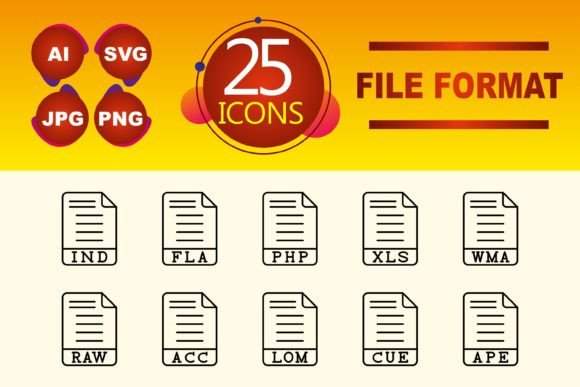
For entrepreneurs, marketers, and freelancers managing multiple projects, an organized library of digital assets is a productivity powerhouse. Central to this system is categorizing and storing files not just by name, but by their format and intended use. Create separate folders for "Vector Source Files (.AI)", "Web Graphics (.SVG, .PNG)", and "Photography (.JPG)". When you acquire a useful resource, like a set of 10 line icons depicting common file formats, immediately assess their native format and export versions to the appropriate library folders. This practice saves hours over the course of a year, eliminating the "search and convert" scramble when a project deadline looms.
Furthermore, consistency in the assets you use—such as employing the same style of line icons across all company templates—reinforces brand identity. If that icon set is provided in .SVG format, you ensure it can be implemented consistently from your website's footer to your instructional PDFs, maintaining a professional and cohesive look.
Preparation and Long-Term Considerations
Thinking about file formats is also an exercise in future-proofing your work. A project completed today might need repurposing in two years. Raster formats like .JPG and .PNG at low resolutions lock your asset into a specific size. Vector formats like .SVG or the source .AI file, however, grant flexibility for future adaptations. When archiving final projects, it's a prudent long-term strategy to store both the final exported assets (like the .PNGs for the web) and the original editable source files (the .AIs or master .SVGs). This aligns with a thorough quality control and maintenance process, allowing for updates or adjustments without starting from scratch.
Compatibility remains a perpetual consideration. While .SVG is widely supported, some older environments may have issues. Knowing this, your implementation tip might be to have a fallback plan, such as converting key .SVG icons to high-resolution .PNGs for exceptional cases. Testing your chosen formats across the platforms where they will ultimately live—the different browsers, app frameworks, or presentation software—is a simple but crucial step in the execution phase.
Final Observations for Smooth Integration
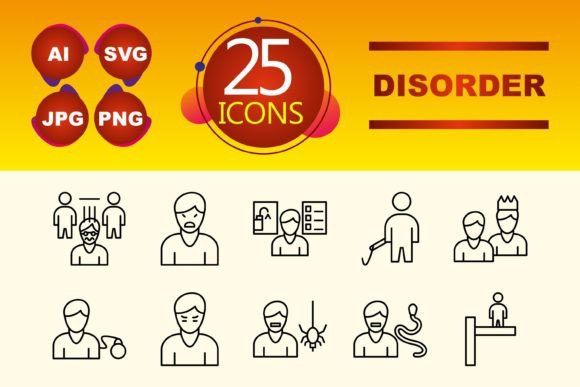
Integrating this knowledge into your routine doesn't require becoming a technical expert. Start by noticing the formats of the assets you use most. When downloading a resource, check what formats are included. A versatile set offering .AI, .SVG, .PNG, and .JPG provides maximum workflow flexibility. Next, standardize your output. If you're a blogger consistently creating tutorial images, decide on a standard format (.PNG for screenshots, .SVG for diagrams) and stick to it. This creates efficiency through repetition. Finally, communicate format requirements when collaborating. Specifying "please provide the logo in .SVG format" to a designer or client avoids back-and-forth and ensures you receive an asset that integrates smoothly into your next stage of work.
File formats are the silent facilitators of digital execution. By making informed choices about them—from the initial planning of a project to the organization of your asset library—you remove friction, preserve quality, and build a more resilient and efficient creative or professional process. The right format, paired with the right asset like a clean set of file type icons, becomes a small but powerful detail that supports clarity, consistency, and successful outcomes.