Essential Elements of a Modern Business Infographic
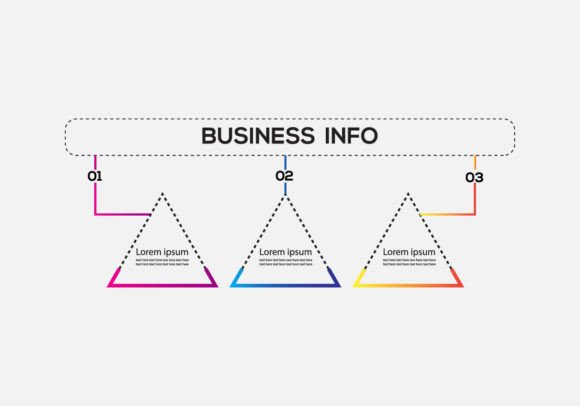
Visual communication has become indispensable in the professional world. Amidst dense reports and lengthy presentations, a well-designed infographic can distill complex information into an accessible, memorable format. The Business Infographic with Three Steps template represents a focused tool for achieving this clarity. Its structure is built around a core principle: guiding an audience through a process, a logical progression, or a simplified argument in three distinct, visual stages. This design isn't merely decorative; it serves a specific strategic purpose in business communication.
Core Characteristics and Practical Purpose
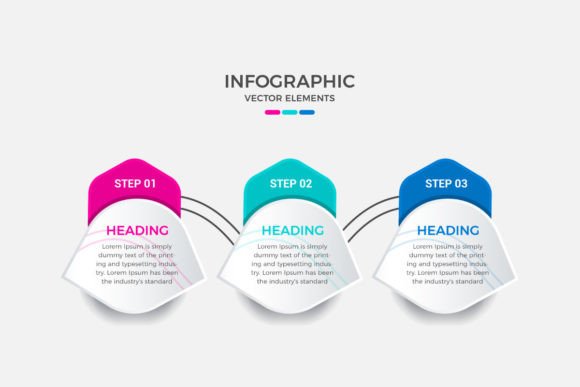
This template is defined by its tripartite layout. Each step is typically represented as a discrete visual block—often a numbered icon, a concise headline, and a supporting graphic or data visualization. The linear flow from Step 1 through Step 3 creates a narrative, making it ideal for explaining workflows, product development cycles, service implementation phases, or fundamental pillars of a strategy. The strength of this format lies in its inherent simplicity. It forces the creator to prioritize and eliminate ancillary information, focusing only on the most critical elements needed to convey the core message.
Its practical value is significant. For internal teams, it can serve as a training aid or a process reminder. For external audiences—clients, investors, or general consumers—it acts as a powerful marketing or educational asset. A Business Infographic with Three Steps can transform a vague concept into a tangible journey, increasing comprehension and retention. The visual hierarchy immediately signals that the information is sequenced and purposeful, which is more engaging than a bulleted list or a paragraph of text.
Technical Quality and Usability
The provided package, which includes an AI file, EPS file, and a preview JPEG, indicates a production-ready asset. The AI and EPS files signify that the infographic is built as a vector graphic. This is a critical feature for professional use. Vector graphics are mathematically defined, meaning they can be scaled to any size—from a small social media post to a large conference hall banner—without any loss of quality or resolution. This ensures consistency across all media channels.
The "Editable text" and "Editable Vector" features are the true markers of flexibility. Users are not locked into a static image. They can modify all text elements to fit their specific terminology, company branding, or language. More importantly, the editable vector elements allow for color scheme changes. A user can align the graphic with their corporate palette, adjust icon shapes if necessary, or even reposition components slightly to better suit their content. The mention of "Free fonts used" removes a common technical hurdle, ensuring the typography can be legally and easily replicated or matched across other materials without licensing issues.
Performance in Real-World Applications
How does this template perform when put to work? Its effectiveness is context-dependent. For a startup pitching a simple service model, it could beautifully illustrate the three-step client onboarding process. An educator might use it to summarize the three key phases of a historical event. A marketing team could deploy it in a blog post to explain the three pillars of their new campaign strategy. The reliability of the template comes from its constrained framework; it reduces the design burden and time investment, allowing the creator to focus on content accuracy and refinement rather than layout fundamentals.
Presentation is paramount. The clean, logical structure of a Business Infographic with Three Steps inherently lends itself to a professional presentation. It avoids visual clutter, which maintains audience focus on the message itself. This clarity is often more effective than a more intricate, multi-element infographic when the goal is straightforward instruction or persuasive simplification.
Long-Term Value and Integration
The long-term value of such a template is tied to its adaptability. Because the core vector design is editable, it is not a one-use asset. A company could adopt it as a standard format for all internal process documentation, ensuring visual consistency across departments. A freelancer might use a slightly modified version of the same template for multiple client projects, saving considerable time. This reusability provides a return on the initial acquisition or design effort far beyond a single project.
Integration into a professional workflow is straightforward. The files are standard formats compatible with major design software like Adobe Illustrator. The JPEG preview allows for quick sharing in proposals or drafts before the final vector file is fully customized. It fits seamlessly into the creation pipelines of marketers, content managers, and business communicators who regularly need to translate textual information into visual form.
Identifying the Right Audience and Use Cases
Not every communication challenge requires a three-step infographic. This template is most beneficial for professionals whose message naturally decomposes into a beginning, middle, and end. Entrepreneurs explaining a new business model, trainers outlining a certification path, or software companies illustrating a basic user journey are prime candidates. Small business owners, who often lack dedicated design resources, will find its structured simplicity a safe and effective way to create high-quality visuals themselves.
Serious hobbyists, such as bloggers or educators publishing online courses, can leverage it to enhance their content's authority and readability. The template serves situations where credibility and clear instruction are the goals, rather than artistic expression. It is less suitable for conveying highly nuanced data comparisons, complex interconnected systems, or purely emotive brand storytelling. Its purpose is instructional and explanatory.
Professional Observations and Practical Recommendations
When using a Business Infographic with Three Steps, success hinges on content discipline. The creator must rigorously distill their message into three truly essential points. A common limitation is the temptation to squeeze sub-points into each step, which can visually overcrowd the clean template. It is better to let each step represent a high-level concept, with details possibly provided in accompanying text.
A practical recommendation is to begin by writing the three step titles and a single supporting sentence for each, before even opening the design file. This ensures the intellectual structure is sound. Then, during customization, pay close attention to typographic hierarchy. The step number or icon should be prominent, the headline clear, and any minimal body text legible. Consistency in the size and style of these elements across all three steps is key to maintaining the professional, balanced look the template affords.
Finally, consider the output format. Using the scalable vector files, you can produce assets for digital screens (websites, presentations) and physical prints (brochures, posters) from the same source. This dual-purpose capability maximizes the utility of the single design effort. While it may not be the solution for every visual need, a well-executed three-step business infographic remains a reliable, valuable tool for making structured ideas visually compelling and universally understandable.